
One-time purchase
$3.99
No subscription. It stays in your account, for your Windows computers. You have 14 days to change your mind and get everything back.
SoundGG for Windows 10 and 11
A Soundpad built right into GGspeak: press a shortcut and the sound goes out with your voice, in games and in calls.
$3.99, one-time purchase. Or a 7-day trial, no card needed. With GG+, it’s included.
Tap a key here, or press 1 to 9.
In GGspeak, buy it, start the trial or subscribe to GG+.
The app explains what it’s going to install and asks for your administrator permission.
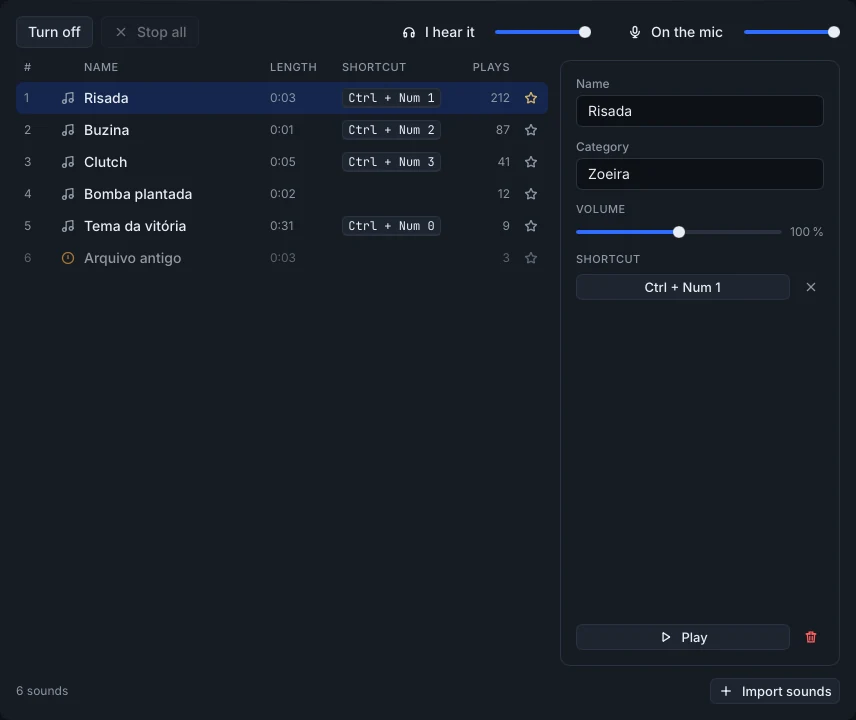
Mp3, ogg, wav or flac, from the folders on your computer. Give each one a shortcut.
With the game in focus, the shortcut plays the sound through your mic.
$3.99
No subscription. It stays in your account, for your Windows computers. You have 14 days to change your mind and get everything back.
Free
Once per account, no card needed. At the end, it turns itself off and nothing is charged.
$4.99
a month
SoundGG is included while GG+ is active. See GG+.
Paid by credit card, through Stripe, inside the app. In Brazil: R$ 14,90, with 7 days to change your mind.
The full rules are in the Terms of Use (in Portuguese).
In the app, in the Store: $3.99 one-time, a 7-day trial or with GG+, while it’s active.
The Store shows which games we’ve tested. Noise suppression in some games and apps can cut or muffle the sounds, and a mic with a manufacturer effect is left out: the app tells you which one.
No. SoundGG only works on Windows 10 and 11, in the website version. If you buy it on another system, the purchase stays in your account to use on a Windows computer.
SoundGG comes with the website version. Download it and sign in with your account: your purchase comes along.
Yes. You have 14 days from payment to back out and get everything back, even if you’ve used it (7 days in Brazil). In the app, it’s under Store, Purchased.
Download GGspeak from the website, open the Store and start the trial. No card needed.